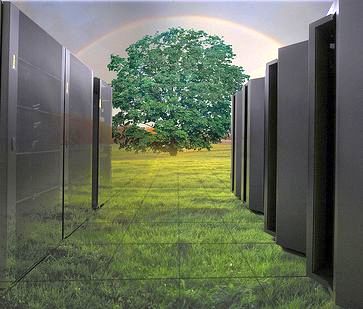
Reasons to Renovate Your Data Centers


          Most of the data centers have following features false floors, windowless rooms, lots of electrical outlets, limited walking space and sterile. Data Center renovations one of the best paths where managers can improve performance and improve the overall efficiency of the center. By renovating Data centers, managers can yield a lot of improvements in terms of space, performance, operating cost and many others. When do managers know it’s time to renovate data centers? These following points will give some idea.

         One of the main goals of data centers is to maintain cool temperature. Whenever you traverse
inside the data center, if you get any hot flashes or when temperature fluctuates greatly. Then it’s time
to check and renovate the cooling system. CFD (Computational Fluid Dynamics) is one of the gauges
which tell how to manage cooling systems in your data centers.

         Each and every day technology keeps on upgrading. Have a look at technologies running in the current market and implement those in order to gain more efficiency. Implement new rack designs which provide a new level of savings in cost and energy and also improves the level of control over data center.

         No room to add more servers? When you think of adding a new rack of sever to gain more power into your data center, you think of renovation. Carefully analyze servers and remove the servers which are not running, this might cause under utilization of resources and might directly affect your operations and maintenance cost.

         A fan is one of the cheapest cooling agents in data centers. A fan is capable of redirecting hot air away from servers and allows cool air inside the servers; this can reduce hot air between servers the data centers.

         When your data center looks like a room of cables. This means data center needs renovation and management team has to improve cabling. This might money and time and this leads to overall improvement of the data center.

         Worrying about natural disasters? We are not sure when data center might be struck with a flood or earth quake and other emergencies. New data center designs concentrate more on disaster management and recovery, implementing any of these designs might help to overcome disasters.

         Managers need to have a close look at data center Infrastructure management tools and these approaches might be worth of looking into. DCIM tools favor small data centers which are scalable.

         Not getting expected efficiency from your data centers? If you think that you are not yielding expected efficiency from your data centers, then it’s time to renovate your data center. While renovating data centers look for alternative energy sources and alternative source for cooling your servers. Managers need to make a regular survey on servers and eliminate redundant hardware which might eat up a lot of energy.

Data Center Talk updates its resources everyday. Visit us to know of the latest technology and standards from the data center world.

Please leave your views and comments on DCT Forum

Share on TwitterSubmit to StumbleUpon

Blades Servers vs. Rack Servers

In the world of data centers, there is a lot of conversation going on between blade and rack servers. Data center designers and managers are thinking whether to deploy Rackable servers or blade server to deploy virtualized applications. Before getting into any conclusion about blade and rack servers, we shall have a close look about both the server technologies.

Blade Servers:

Blade server follows stripped down design technique with a modular design to optimize energy and space. The main components in blade servers are blade enclosure which houses multiple blade servers, various interconnects, cooling, networking and power equipment. Standard rack is 48 cm wide and 4.45 cm tall and defines the least size of any equipment.

Blade Enclosure: Enclosure is one of the main important parts of any servers as it performs many non-core computing services. Compared to blade server non blade system uses hot, space insufficient and bulky components; this might degrade the overall efficiency of the data centers. Managers can localize services in one place and sharing the resources blade computers will improve the overall efficiency.

Cooling:  we all know mechanical and electrical components in a server produce heat. To ensure proper functionality of these system heats should be eliminated. Data center designers always have a conflict between how much heat will be generated and how many fans to implement to cut down the heat.

Storage:  computers typically use hard drives to store data, OS and applications. Some of the storage methods are SATA, SCSI, FC, iSCSI, FireWire and many more. Sometimes data centers boot from SAN (Storage Area Network) which allows disk free blades.

Blade servers are well suited for specific purposes such as Virtualization, web hosting and cluster computing. Blade servers are not the answer to all computing problems. Very large computing tasks may still need to implement many servers; this might be a bad idea as they suffer from over heating and air conditioning problems. Pricing of blade servers might range from $7, 100 to $17, 000.

Rack Servers:

Rack servers are designed and configured for installation in a central framework called racks. Rack servers allow access to the servers by an open enclosure at least on two sides of the rack. Compared to blade servers, rack server consumes less space and can be placed into the bays or slots. This type of servers makes it easy to connect new computers to other network components. A single rack server may contain multiple servers stacked one above the other, this minimizes floor spacing. Rack spacing the servers will minimize cabling among network components and requires a special cooling system to prevent excess heat generated from the components.

When thinking about Virtualization blade servers scores high compared to rack mounted servers. No doubt both technologies reduce desktop space, blade servers allows administrators to quickly see and gather information on physical servers including hardware configuration, firmware, operating status and IP addresses. Blade servers reduce the number of places an administrator must visit compared to rack-mounted servers. Blade servers are pretty common in data centers. Rack mount servers are a combination of blade technology and Virtualization.

Data Center Talk updates its resources everyday. Visit us to know of the latest technology and standards from the data center world.

Please leave your views and comments on DCT Forum

Share on TwitterSubmit to StumbleUpon

Reasons to Renovate Your Data Centers

               Most of the data centers have following features false floors, windowless rooms, lots of electrical outlets, limited walking space and sterile. Data Center renovations one of the best paths where managers can improve performance and improve the overall efficiency of the center. By renovating Data centers, managers can yield a lot of improvements in terms of space, performance, operating cost and many others. When do managers know it’s time to renovate data centers?  These following points will give some idea.

               One of the main goals of data centers is to maintain cool temperature. Whenever you traverse inside the data center, if you get any hot flashes or when temperature fluctuates greatly. Then it’s time to check and renovate the cooling system. CFD (Computational Fluid Dynamics) is one of the gauges which tell how to manage cooling systems in your data centers.

               Each and every day technology keeps on upgrading.  Have a look at technologies running in the current market and implement those in order to gain more efficiency.  Implement new rack designs which provide a new level of savings in cost and energy and also improves the level of control over data center.

               No room to add more servers? When you think of adding a new rack of sever to gain more power into your data center, you think of renovation. Carefully analyze servers and remove the servers which are not running, this might cause under utilization of resources and might directly affect your operations and maintenance cost.

               A fan is one of the cheapest cooling agents in data centers. A fan is capable of redirecting hot air away from servers and allows cool air inside the servers; this can reduce hot air between servers the data centers.

               When your data center looks like a room of cables. This means data center needs renovation and management team has to improve cabling. This might money and time and this leads to overall improvement of the data center.

               Worrying about natural disasters? We are not sure when data center might be struck with a flood or earth quake and other emergencies.  New data center designs concentrate more on disaster management and recovery, implementing any of these designs might help to overcome disasters.

               Managers need to have a close look at data center Infrastructure management tools and these approaches might be worth of looking into. DCIM tools favor small data centers which are scalable.

                Not getting expected efficiency from your data centers? If you think that you are not yielding expected efficiency from your data centers, then it’s time to renovate your data center. While renovating data centers look for alternative energy sources and alternative source for cooling your servers.  Managers need to make a regular survey on servers and eliminate redundant hardware which might eat up a lot of energy.

                Renovating a data center is far more complex than renovating a house. In data centers renovation is a continuous process. Renovation process is a critical issue which minimizes the risk of downtime and also enhances the overall efficiency of the plant.

Data Center Talk updates its resources everyday. Visit us to know of the latest technology and standards from the data center world.

Please leave your views and comments on DCT Forum

Share on TwitterSubmit to StumbleUpon

Is Modular Design for Data Center Right Choice for Future?

Modular design for data centers is a current hot topic in IT industry. Companies are struggling to meet IT need and maintain efficiency. If data center companies choose to include modular design, then they have to select pod or containerized design. Modular design will provide flexibility to data centers. Some of the benefits enjoyed by modularized data centers are:

 Speed:

Modular Data Centers can be built 75% faster than conventional data centers.

Efficiency:

In Modular Data Centers hardware can be addressed incrementally, rather than immediate constructing entire data center space. In Dell data center solution engineering team are working hard to optimize entire data centers to reduce operational cost.

Flexibility:

Modular Data Centers are designed with standardized infrastructure which enables data centers to use operating system universally. This design will allow designers for easy replacement of hardware and operating system. A truly modular data center is either incrementally constructed or uses containerized solution.


Altering a traditional data center to Modula Data Center is similar to constructing a new facility with blocks of buildings, so it’s preferred to implement containerized approach in such conditions. Now let us have a close look about POD design of data centers and Containerize solution

Pod Design for Data Centers:

In pod design data center consist of IT room, a supporting infrastructure room and IT computer room.  Supporting Infrastructure room includes mechanical and electrical room which provide power, cooling to IT computer room. Later design engineers can include any number of IT computer room based on their load requirements.

Instead of supplying space, power and cooling for an over build data centers at 50% efficiency rate, companies can divide data centers into small pods. Let us have an example, suppose a company with 10,000 sq ft area, companies can estimate a facility based on requirement and build a small pod of 1000 sq ft of storage and server equipment. Company can include adjutant pods based on IT requirements by following “pay as you grow” approach. This approach can lower the overall operating expenses and also increase the efficiency of the data center.

Containerized Solution for Data Centers:

Instead of designing a pod design from scratch companies can choose containerized solution, if company is ready to build, relocate or expand its facility. By following this containerized solution companies can lower their operating and capital cost, companies can also be benefited by avoiding local building techniques and codes. Cooing systems and airflow to servers can be engineered before implementing in the plant to optimize efficiency and performance. Containerized data centers can cut down deployment time from one year to weeks. Containerized data centers are best suited for remote locations. Containerized solutions gain more points in terms of mobility, containers can be placed anywhere and all containers will be pretested before deploying to the centers. Containerized solution can also be used as temporary solution when companies have expansion plan or when data centers come across any disaster. Apart from all these Containerized solution will provide multi-location support and high redeployment capabilities.

Before selecting any of the two modular design, it’s better to have a look at advantages and disadvantages of the two designs.


Pod Design

Containerized Solution

Flexible in size

Equipments must go in pre-fabricated containers

Canbe modified based on requirements

Newly configured containers must be deployed

Space can be designed for comfortable services

Uncomfortable and offers limited space for technicians

With proper design maximum efficiency can be achieved

Designers need to spend significant amount of dollars to improve efficiency

Permanent solution

Best suited for temporary needs

Initially takes at least 6 months later inclusion can happen more rapidly

Can be deployed within weeks

Must follow local building codes

Must follow ISO complaints


Data Center Talk updates its resources everyday. Visit us to know of the latest technology and standards from the data center world.

Please leave your views and comments on DCT Forum

Share on TwitterSubmit to StumbleUpon

Implement Reduce, Reuse and Recycle in Data Centers

                 Data centers need to implement R3(Reduce, Reuse and Recycle) methodology to minimize wastage. R3 is a Waste hierarchy framework which helps data centers to produce maximum benefits with minimum wastage. Most of the data center companies including technology giants Google, yahoo and others are trying as much as possible to implement R3 and minimize its wastage.  Now let us know how we can implement R3 in data centers.

Reduce:

                Try to buy heavy components like server racks from local vendors, this would reduce transportation charges and also reduces air pollution. If materials are expensive locally, you can import materials from other nearby locations where the material is cheaper.

Recycle:

Companies should think about giving a second life to all data center components by recycling them and selling it in local markets. Sometimes components need to be sold by breaking them into raw materials such as plastics, aluminum, copper, steel, etc.

Reuse:

Before adding any new components to Data centers have a check with the older equipments which can be reused. If you already have machines which serves the purpose, then why to buy new equipments.

Data Center companies have to think more on using renewable resources to obtain maximum savings and minimize wastage. In terms of energy companies can use renewable energy resources like solar energy, wind, tidal and other sources. Initial cost for implementing these resources might be high, but later it helps to reduce overall investment. Microsoft has plans to run its data center in Cheyenne, Wyoming on Biogas, you can get complete detail on this by visiting the link given at the end of the article.

Data center management team has to think of making use of locally available resources to minimize wastage. One of Google’s data center in Douglas County uses city waste water to cool its servers, another center in Hamina, Finland uses sea water to chill servers without using any chillers in the center. Microsoft’s data center in San Antonio uses recycled water provided by local water company.

Data center managers should regularly have a maintenance check on all the equipments and make necessary alterations. These maintenance processes can reduce a large amount of wastage. Company should design data centers which recycles and reuses the resources to optimum level. Some Data center companies in Australia are planning environment friendly means to dispose hardware. Companies expect e-waste to be doubled from next five years. One of the important ways to cut down hardware waste is by properly designing the hardware rooms. Include more number of bio-degradable hardware components.

Data Center Talk updates its resources everyday. Visit us to know of the latest technology and standards from the data center world.

Please leave your views and comments on DCT Forum

Share on TwitterSubmit to StumbleUpon

Ways to Reduce Water Consumption in Data Center

All data center management teams have been thinking about conserving renewable energies, but recently data centers are concentrating more on conserving water. Saving any amount of water saves money, because water in short as it’s mostly used in domestic purposes. Data centers require an enormous amount of water to cool cloud computing server farms. James Hamilton Data Center Designer and Researcher in Amazon estimates Data centers with a capacity of 15 Mega Watt can utilize up-to 360, 000 gallons of water per day. Hamilton added, “Water is tomorrow’s big problem, no one talks about water. The water consumption (in data centers) is super embarrassing. It just doesn’t feel responsible. We need designs that stop using water.”

          Google and Microsoft are adopting new alternative methods to cool their massive data centers. Companies are using water from nearby rivers canals and also using recycled water. Microsoft recently added a new Data center in San Antonio because local water company can provide large quantity of recycled water; this would have less impact on city’s drinking water. In Belgium Google installed a new data center next to Industrial canal, data center can draw water to cool massive servers using industrial water and can draw water from wells and rain water. Google has designed a new cooling system and they have named it as “Hot Huts”. These Hot Huts are temporary homes for hot air which leaves main servers. Fans are installed on these huts will pull hot air from behind the servers and lead them to water cooled coil, these ambient hot air from the servers. These fans will help to cool the air by leading them to water cooled coils and thus completing the cooling cycle.

One of the best methods to conserve water is by re-cycling it. Google’s data center in Hamina, Finland uses sea water to cool servers without using any chillers. This data center is located in Gulf of Finland. Cooling systems pump cold water from sea and heat from servers are exchanged. This ambient hot water is cooled before returning to gulf. Another Google’s data center in Douglas County uses city waste water to cool its servers. In this data center large tanks are filled with this water and fin sand particles are filtered out and leaving clear water to cool its servers (this water is unsuitable for drinking purpose).

Data centers must maintain their cooling systems regularly to avoid excess consumption of water. All Data centers must implement such alternative methods to cool its massive servers to reduce water consumption.

Data Center Talk updates its resources everyday. Visit us to know of the latest technology and standards from the data center world.

Please leave your views and comments on DCT Forum

Share on TwitterSubmit to StumbleUpon

Which is More Reliable in Data Centers: SSDs VS HDDs?

Data Centers mainly rely on storing or accessing multimedia contents. Data centers mostly struggle with the problem of how to store information; companies can opt for any of the technologies like Hard Disk Drives (HDDs) or Solid State Drives (SSDs). But which technology is the best, HDDs or SSDs?  In current market situations, solid state drives are more reliable than hard drives, but this isn’t always true in all conditions. Before getting into any conclusion, let us know what are SSDs and HDDs.

SSDs and HDDs are storage devices, but have different storage methods. HDDs store data magnetically on spinning platters and use a mechanical read or write methods.  On the other hand SSDs store data electronically in semiconductor circuits in binary (1s & 0s) format. SSDs are employing nonvolatile flash memory as their main storage medium, nonvolatile medium stores data even when the power is down.  Differences in their storing technologies lead to number of advantages and disadvantages. So before replacing all HDDs to SSDs have considerable idea about both the technologies.

Google has made a detailed study on why HDDs fail. Following are some of the conclusions drawn from the study, 36% of failed hard drives did not exhibit any SMART (Self Monitoring, Analysis and Reporting Technology) monitored failure, because failure of HDDs might have been caused because of mechanical or electrical failures. HDDs are mechanical devices whose components would wear out due to lose precision or dry lubricants, as a result they draw greater amount of power and emit greater amount of heat. SMART system is almost useless because I cannot detect mechanical failures modes which include capacitors, power regulators, connectors and firmware.

SSDs replace mechanical components of HDDS like heads, motors, platters and bearings with flash, but SSDs don’t replace any electrical components that cause many failures. SSD chips are manufactured in different grades, manufactures like Intel Samsung and Toshiba manufacture highest graded chips for their own SSDs and lesser quality chips are sold to market and most of such lesser quality chips go into SD cards and USB drives. Lower quality chips have more number of failures compared to higher quality chips. One more advantage of SSDs are its writing and reading speeds, SSDs can read or write data at a rate of 200-500MB/s, whereas HDDs reading and writing speed is within 50-120 MB/s. In high performance environment where fast booting is needed, this high speed read and write capability is more advantageous. Another advantage of SSDs when compared to HDDs are its power consumption, SSDs consume almost 50% less power than HDDs. In addition to all these disadvantages HDD produces more vibrations and noise, and SSD can withstand more physical damage than HDDs.

Pricing of SSDs are more when compared to HDDs, storage capacity of HDDs are more when compared to SSDs. SSDs offer numerous advantages over HDDs, but it cannot compete in terms of mass storage capacity and cost.

Hybrid storage systems can be implemented to overcome the disadvantages of each technology. Data centers can include expensive SSDs where faster read and write or booting is required and it can include inexpensive HDDs where large storage is needed.

Data Center Talk updates its resources everyday. Visit us to know of the latest technology and standards from the data center world.

Please leave your views and comments on DCT Forum

Share on TwitterSubmit to StumbleUpon

Data Center Efficiencies from the Perspective of the End User

Today, data centers have become the prime targets of environmental agencies because of their supposed incessant use of energy. Hence the need of the hour is to focus more on consolidating data centers and increasing energy efficiency. After controversies surrounding some of the bigwigs of the Internet arena for not being responsible and considerate towards the environment, data centers’ attention mainly revolves around optimizing operations and efficiency. Several parameters define an efficient data center.

Some of the highly efficient data centers include infrastructure such as advanced cooling techniques, high density server racks, rooftop cabling systems, biodegradable energy utilization techniques along with minimum utilization of space. Data center operators strive to implement radical measures to further enhance the efficiency of a data center. The efficiency can be further enhanced by deploying rack optimization techniques, monitoring tools, and virtualization strategies.

Analysis has revealed that there is often an overlooked factor that can apparently take the efficiency of data centers to another level. The factor is “looking at data centers from the end users point of view.”

Relation between a data center and the end user

It is a known fact that any new product or service is delivered keeping in mind the end user and end user satisfaction. Then why leave the end user in darkness when considering the efficiency of data centers? Data center efficiency when built amidst end user’s computing experience creates a more conscientious environment. This is where the idea of ‘user virtualization’ is used. User virtualization is the process of isolating/disconnecting the user from the hardware. With this users can carry all the settings, applications, and profiles regardless of the devices, hardware or even the operating system.

Hence with this new strategy users can have all the applications with them at all times, on any device, and on almost any platform. But what needs to be answered here is that if user virtualization can really create data center and IT administrative efficiency?

BYOD and IT consolidation: BYOD stands for ‘Bring Your Own Device’, and as the name suggests it can reduce the number of resources required within the data center and the IT environment. IT consolidation can further reduce management issues, end to end physical points along with a simplified computing process. User virtualization allows users to carry data from one device to another seamlessly without having to depend on the hardware. All that matters is the end client receiving the data. All of this further translates to fewer moving parts within the IT environment.

Data Center Server Reduction: As most of the servers catering to BYOD are Virtual Machines, there is considerable reduction in the number of physical servers provisioned at the data center level. High density computing can further reduce stand alone rack servers, and create a more efficient environment.

Cloud Computing: With the help of user virtualization it is easy to transfer data to the cloud platform. User settings can easily centralize and controlled at the data center level or within the cloud environment. All settings can be controlled from one management console. User management functions can also be outsourced to the cloud. Hence, resulting in the reduction of hardware platform and software management tools.

By creating a more robust end-user experience in deploying user virtualization, data center administrators can find themselves working with a new layer of environment efficiencies.

Data Center Talk updates its resources everyday. Visit us to know of the latest technology and standards from the data center world.

Please leave your views and comments on DCT Forum

Share on TwitterSubmit to StumbleUpon

Microsoft Plans to Run Data Center on Biogas

Starting in March 2013 Microsoft has planned to run its Cheyenne, Wyoming data centers from biogas. Biogas for the data centers will be created at local waste management plant.  This will be a testing plant with a small modular demonstration. Microsoft will use the test results from this plant and learn how to implement these on other large data centers; these results will also help company to become less reliant on power.

This plant is created and maintained with a budget of $5.5 million, investment mainly coming from Microsoft and other financial sources. This plant is capable of creating power up to 300KW.  This plan will help the company to implement other alternative ways to power the rest of its data centers. This plant will use gas created with anaerobic digestion of dry waste + water, this anaerobic gas will power 300KW fuel cell and this fuel cell intern generate power. This power cell will run for 18 months with a close participation from University of Wyoming.

This is how the plant works; Sewage treatment plant will collect all the dry and other waste from house, cattle farms and other sources. These waste will be collected in anaerobic digester, anaerobic digester might contains many biodegradable materials like manure, municipal waste, crops, green waste, biomass, sewage etc. These collected wastes will be treated with water and fermentation process starts. These wastes under goes anaerobic digestion and emits biogas. Biogas mainly contains Hydrogen Sulfide, carbon-di-oxide and Methane. This gas powers the power cells which intern powers the entire plant.

If this plan becomes a success, then this trend will attract all internet companies like Yahoo, Apple, Google, Microsoft, EBay and Google. Microsoft has plans to neutralize its carbon emission by summer 2012. In future Microsoft has plans to collect materials for its digester from wastewater treatment plants, fuel refineries, agricultural farms, landfills sites etc. This is an uneconomical plan to gather all waste and convert it to energy. With all these plans Microsoft hopes to reduce its carbon emission from their data center.

All companies with data centers are aiming to lower their carbon emission associated with it. If this alternate power plant woks well, Microsoft might plan to build micro data centers at other plants. Microsoft has plans to open up mini data centers near water treatment plants. Microsoft has plans to setup this plant within next spring and make it working.

Data Center Talk updates its resources everyday. Visit us to know of the latest technology and standards from the data center world.

Please leave your views and comments on DCT Forum

Share on TwitterSubmit to StumbleUpon

Raised Floor-A Quick Fix Solution or Not?

It is difficult to imagine a data center without cables and electrical wiring; it is the quintessential part of a data center. More or less, it is like the nervous system providing connectivity to the different parts in a data center. There has to be a way to deal with the installation of these cables unless you want your staff to trip over them.

Raised floor is one of the ways of effectively dealing with this kind of a situation. As the name suggests, a raised floor is an elevated platform in a data center constructed for the purpose of providing a passage for electrical and mechanical services. This is mostly done to avoid cluttering the floor with cables and wires.

The height of the raised floor can vary from 2 inches to 5 inches from the concrete floor depending on the data center requirements, and the height of the ceiling above the raised floor. According to the prescribed standards of construction, a ceiling has to be about 9 feet from the ground. There are many uses of a raised floor in a data center; cooling is one of the primary purposes. Perforated tiles can be installed to allow cool air from the air conditioning systems to reach the room.

Recently this technology has seen the dust. Data center operators believe that they can do away with raised floors while still retaining the operating efficiency of the data center. With the advent of technology, and inclusion of blade servers and high density server racks, heat within the rooms has elevated. Raised floor for cooling has ceased to help in this situation. It is difficult to limit the number of cables placed on raised floor without heating the place underneath.

Installation of raised floors is very expensive. Under floor maintenance adds to the menace while fire safety measures, lighting adds to the overhead costs. High density servers have become the flavor of recent data center development where multiple servers can be stacked in one rack. As a result, server racks have started to weigh a ton, and raised floors cannot withstand the weight. Raised floors may even succumb to the weight and collapse.

Cooling is no longer a serious issue. Raised floor for cooling has taken a back stand, and low level or localized cooling has gained popularity. Operators are using hot aisle and cold aisle configurations for eliminating localized heating. They also reduce the PUE, electricity and maintenance costs.

If raised floor is not being used, then there should be another way of dealing with cables. False ceiling or overhead cable management is gaining popularity as a replacement to raised floor. They provide lesser cooling disruption and fault location is easier. The only concern that lingers is accessibility.

Having said all that, raised floors are not going to be eliminated forever. They have their own advantages and disadvantages. Some companies find raised floor very suitable for all their cooling and management solutions. Some have adopted alternate ways of reducing PUE, and improving efficiency. In some cases, raised floors cannot be discarded just because they are old fashioned.

Data Center Talk updates its resources everyday. Visit us to know of the latest technology and standards from the data center world.

Please leave your views and comments on DCT Forum

Share on TwitterSubmit to StumbleUpon