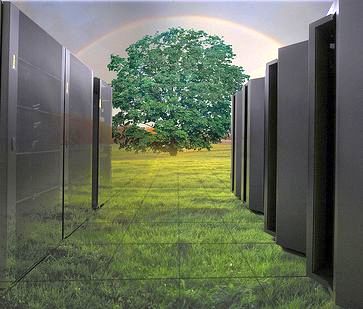
Challenges of Cooling Data Centers

                One of the major critical challenges faced by modern data center is cooling system. Today’s IT system has created new cooling related problems. These are new problems which could have been foreseen when data centers were developed 30 years ago. Some of the challenges in the data center cooling process can be packed in the following categories:

  • Availability
  • Manageability
  • Lifecycle costs
  • Maintenance
  • Adaptability

For many data center adaptability requirements still remain as the biggest challenges regarding cooling. This challenge involves problem regarding cooling of high density rack system and uncertainty of timing, location and quantity of high density rack systems. The cooling system within a data center should be scalable and flexible and with some redundant cooling feature for consistent and steady performance. Cooling data centers’ requirements in regards to Lifecycle of the system shares many features in common with adaptable solution. Data centers need pre-engineered modular and standardized solutions.

Data centers are often unable to predict future load of a data center cooling system, even the prediction of load characteristic offer greater challenge. Once a proper design is established data centers have to perform some best cooling practices. Some of the cooling practices are given below:

Determine The Critical Load and Heat Load:

Determining load helps data centers to know how many number of cooling systems need to be deployed within the available space. Companies need to include heat conducted from surrounding space.

Establish Power requirements as per Rack Location Unit (RLU):

                The power density of data centers is defined based on the number of cabinets or racks available in data centers. Generally all manufacturers produce cabinets of the same size. The Rack Location Unit provides RLU power density, this density is increasing every year. The main challenge faced by data centers in predicting cooling for variable RLU densities.

Determine Room Power Distribution:

                There are two main decisions in determining room power distribution one is where to place PDU (Power Distribution Units) and where to run power cables under or over the floor.

Determine Cabinet Power Distribution:

                It is very essential to understand the impact of power distribution on cooling, as it is related to air flow within the cabinets.

Determining Suitable Cooling Methodology:

After determining the cooling zones helps you to decide the type of air conditioners will be suitable for your data center. We come across four types of air conditioners such as Air cooler, condenser water cooler, glycol cooler and Chilled cooler. In addition to these data center managers need to determine how heat from the data center will be removed and what type of cooling redundancy will be required for a particular method.

Establish Cooling Performance Monitoring System:

It is very important for data center to develop and deploy a monitoring system which is capable of monitoring each cabinet cooling zone, each row and each room. Once the effective cooling performance is reached for a particular load profile, we can expect some changes. So it’s suitable to include all the parameters so that equipments can be changed, added or moved quickly to cater the changes.

Data Center Talk updates its resources everyday. Visit us to know of the latest technology and standards from the data center world.

Please leave your views and

comments on DCT Forum

Share on TwitterSubmit to StumbleUpon

Infrastructure and Design Tips to Help your Data Center to Go Green

                Data Centers are the factories of the 21st centuries.  Data Centers houses a lot of digital and mechanical equipments. Data Centers do not pollute the environment by emitting polluting fumes into the atmosphere like other old factories, but these big structures are no less scrutinized for their growing consumption of electricity. Energy consumed by data centers

are expected to raise 50% from 2011 to 2020. As demand for cloud storage grows exponentially, more facilities will be built which intern increases the demand for electricity and other resources. Data centers are already consuming 1.1 – 1.5% of the world’s total energy consumption in 2012, by 2020 they will consume almost 20% more than last year. Organizations are making an honest effort to find alternative methods of generating electricity without depending on local providers. Some of the IT giants like Microsoft (have plans to build data center which runs on Bio-gas), Google, HP, EMC, Dell and many more have already tested and implemented alternative methods of generating power. These companies are not only concentrating on power generation, but these companies are

concentrating more on improving efficiency of their data centers and design them according to U.S. Green Building Council to earn LEED Gold certificate.  LEED Gold certified data centers are the ones with high efficiency and doesn’t cause any sort of damage to the environment and human health.

                Following are some of the Data center infrastructure tips which help your data centers go green.

Access your Energy Efficiency:

                One of the key aspects of achieving green tag in your data center is power management. Data Center managers need to know and understand from where energy comes and how it is being distributed in the facility. This helps managers to cut down energy wastage. Designers and managers need to look for alternative methods of generating power which make them move even closer to LEED certification.

Renovate Your Cooling System:

                Focus your cooling racks and servers and also ensure reduce airflow by sealing off holes in walls, ceilings and floors with appropriate duct. This might help in increasing efficiency and also to reduce power consumption. Managers need to access and implement best accessories to their data centers which intern improves efficiency at a relatively low cost.

Release Your Redundancy:

                Many facilities invest in redundant cooling and heating systems which inflates your energy bills. Slash redundancy wherever possible and remove all idle hardware which is simply occupying space and consuming energy.

Virtualize Your Storage:

                Virtualization makes application mobile and shut down unnecessary servers. Virtualization helps in knowing the server space, mapping applications to a different physical location to gain more efficiency. Datacenter Virtualization plays one of the major roles in the quest towards Green data center.

Looking For Alternative Power Resource:

                One of the best ways to stay clean is to find alternative energy that works for your facility. Companies can think about installing heat pumps, wind energy, solar panels and evaporative cooling, these alternative methods can lower your cost and significantly reduce company’s environmental footprints.

                Efficient data centers is not just good for your organization but it is also a social and environmental responsibility to manage your facility’s operations.

Data Center Talk updates its resources everyday. Visit us to know of the latest technology and standards from the data center world.

Please leave your views and comments on DCT Forum

Share on TwitterSubmit to StumbleUpon

Data Center Expansion Plan – Build or Buy?

Demand for data center space is exponentially growing. Data center organizations need to implement more hardware to process, store and manipulate big data. To implement more hardware companies need to buy more lands or need to partner with some existing data centers or acquire any existing facility. Companies of all sizes must go through a critical stage weather to build own data center or to lease an existing facility. Companies need to analyze some points like construction cost, commissioning and costs of maintaining and managing data center before evaluating the decision to build or buy.

Following are some of the key considerations before deciding whether to buy an existing facility or to buy a new facility:

1.       Build Time:

Typically construction of a new data center requires 12-18 months to complete. Suppose

an existing client require to expand their capacity and data center companies need provide the required space in a shorter time-frame, then constructing a new facility will not be a good idea. Most viable option is to co-locate data center space from some other organization or companies might think of acquiring a small data center.

2.       Ability to Scale

A traditionally build data centers have an expected life span of 10-15 years with a minimum of 5 refresh cycles. This might lead to overbuild, capital waste, costly infrastructure and less energy efficient as most of the time servers will be idle. Companies can lease data centers, typically leases are short term of about 3 to 5 years and this allows clients to increase data center space based on their needs. By co-locating companies can reduce cost and add more space quickly.

3.       Money:

The initial cost for constructing a new facility, installation cost can move up-to thousands of dollars.  Companies either get finance from some financing company to construct a new data center, in addition to these companies need to invest to maintain data centers. Companies can lease an existing data center facility by paying monthly or annually based on the contract and provide consistent services to their clients and can expand their space based on their needs.

4.       Location:

Location is one of the primary concerns for data centers for those companies who have planned to build  their own facility. Companies who have elected to buy a data center find local providers within 30 miles from the office. Finding co-location providers is a sensible option, companies can have a frequent visit to the facility. Some companies have an idea of partnering with a data centers that are remotely located in order to have quick disaster recovery or business continuity.

Advantages of Co-location:

  1. Reduced initial cost
  2. Enhanced security features
  3. No need to concentrate on the upgrade and technology changes.
  4. Can have access to a variety of service providers
  5. Faster time to market
  6. Can shrink or grow based on company needs

Some businesses might opt to build and maintain their own data centers and others consider leasing

third party data center. Start-up, small and medium sized organizations opt to lease data centers which are more cost effective and more secure rather than building a new data center.

Data Center Talk updates its resources everyday. Visit us to know of the latest technology and standards from the data center world.

Please leave your views and comments on DCT Forum

Share on TwitterSubmit to StumbleUpon

Steps for Successful Data Center Consolidation

                Data Center consolidation is also referred as IT consolidation is a strategy to reduce the number of servers used either by repurposing server by carrying out Virtualization or by removing legacy servers. Some of the most popular consolidation technologies used in today’s data centers are storage Virtualization; cloud computing, server Virtualization and

replacing mainframes with smaller blade servers. Data center consolidation is a common for organizations that plan to reduce the overall size of their facility to reduce overall IT footprint and operating cost.

Challenges:

                Is your data center is suffering from a high level of power consumption, server sprawl and redundant licenses or if you are facing any of the following challenges?

  • High capital costs
  • Higher operating costs
  • Long response time to service request
  • Increased downtime
  • Decreased reliability

Then it’s time to consolidate your datacenter.

Solution:

                Consolidation of data centers or servers may be one of the solutions to reduce operating cost and capital funds while improving service. Following are the outcomes of successful consolidation of data centers.

  • Reduce operating and hardware cost by 50%
  • Creates provision for new servers which are 70% faster than older ones
  • Reduce energy consumption and reduces energy bill up-to 80%
  • Reliable during disaster recovery
  • Less downtime


Following are few simple and best steps to perform data center consolidation:

Building a suitable Data Center Consolidation Strategy

                Data center consolidation team should concentrate on delivering true value to the business which aims to reduce overall operational cost and increases efficiency of the facility.  Planning consolidation strategy with the application front of mind operational cost can be reduced significantly.

Build a business case for Consolidation:

                While choosing a business case have a brief idea about the category in which your data center operates and plan accordingly. Carefully examine the staff levels and mark them in their levels, this saves your staffing expenses.  Also have a brief idea about projected growth and candidates for consolidation.

Understand what you have:

                Knowing the software and hardware configurations helps in creating better understanding between management and vendors.

Plan Return on Investment

Getting step 1 wrong will directly affect the company’s capital income and its performance in the market. Compressive strategies will clearly define success of the company and also helps in

achieving a good return on investments. Timescales and expectations should be set at the very beginning of the planning phase.

Identify Best Candidates for Consolidation:

                When you have a clear idea about what you have in your data center, then you can identify best elements to consolidate and yield better result. So it’s better to select best consolidation candidates who can perform the task efficiently.

Implementing the Strategy

                After the successful planning of the consolidation strategy it’s time to implement. Consolidation team should ensure applications are delivered exactly as intended at the expected time irrespective of the challenges faced such as network failures, traffic congestions and security threats.

Evaluate Whether Consolidation is Moving in Right Direction

                After you have performed consolidation make sure it’s moving in the right direction as planned and analyze the delay and reason for delay.

                Have a regular maintenance check after successfully completing the consolidation strategy.

Data Center Talk updates its resources everyday. Visit us to know of the latest technology and standards from the data center world.

Please leave your views and comments on DCT Forum

Share on TwitterSubmit to StumbleUpon

Data Center Monitoring Solutions

                Data centers usually maintain big data and are mainly associated with servers. Challenges associated with data center are ever increasing with their power, complexity and cooling requirements. Servers. Many companies have made an effort in developing tools and techniques which were working in the past but which might not meet today’s expectations. Following are the top challenges faced by any data center:

  • Managing the number of servers with limited resources
  • Efficiently utilize and manage resources
  • Gaining service level into the infrastructure
  • Monitoring heterogeneous environments
  • Monitoring servers in virtual environments

Following are some of the solutions which might help in tackling above mentioned challenges:

Data centers should implement monitoring systems like Green Works Monitoring Software:

                Green work is one of the comprehensive data center monitoring systems specially made for optimizing cooling and power efficiency.  This application gathers information from UPS, power panels, ATS, chillers and other environmental sensors. Collected information will be then mapped onto a 3D floor. This 3D visualization allows data center managers to have a quick view of energy usage, cooling performance and room conditions. Using this software threshold level can be set-up to provide SNMP and visual alerts.

                Features of Green Works Monitoring Software are:

  • Tracks energy consumption and provides a clear idea of how and where power is utilized
  • Can monitor energy consumption from a different time
  • Capable of identifying oversized and energy capacity to enable managers to realize where improvements can be implemented to reduce consumption.
  • Quickly generates an energy efficiency report to analyze utilization.
  • Capable of generating real time alerts when any device operates out of predefined threshold levels.
  • Easily accessible real time device status
  • Easy and simple to install
  • 30% less costly than other major data center monitoring software
  • Multiple vendor devices can be interfaced in one system.

Data Centers should implement Power Meters:

                Power monitoring system will provide reporting, data and other necessary critical information any data centers. Many servers including blade servers feature multiple power supply. These systems need to be load balanced and installed with the circuit monitoring system.

Following are some of the power meters tools which can be implemented in Data Centers:

  • Wireless Energy Meters

Gather power data from devices without network connectivity

Saves time and reduces cost linked to wired busses

Open data architecture

  • Branch Circuit Monitoring system

A single system can monitor up-to 168 circuits

Can be networked to monitor up-to 2688 circuits

  • Sentinel UPS battery monitoring system

Sentinel system measures temperature, voltage and impedance

Graphical Status report

Real Time Dashboard

Data centers should include Environmental Sensor:

                Preventing downtime and managing energy costs are the most critical issues faced by data center managers. Monitoring data center environmental condition inside the servers will enable managers to know its temperature and desired range of operations. Rack Monitoring systems have the ability to detect system failures before it causes any potential damage. This tool is also a valuable tool to gauge the efficiency of the fan systems, water coolers and aisle contaminant.

                Following are some of the

most impressive tools used to monitor environmental conditions:

  • Wireless Environmental Monitoring

Fluid sensor tags for real-time leakage and fluid detection

Air pressure for monitoring under floor pressure

Includes PDU tags for real-time power utilization monitor

  • MiniGoose XP II

Internal temperature sensor

Enabled with HTTP, SMTP, SNMP, Telnet

No master control needed

  • WeatherGoose II

Includes internal sensors for air flow, Sound, Temperature, Humidity and light

Rack or Bracket mounting

Includes 3 analog and 5 digital ports

All these tools will enable you to take action before any serious damage occurs in data centers.

Data Center Talk updates its resources everyday. Visit us to know of the latest technology and standards from the data center world.

Please leave your views and comments on DCT Forum

Share on TwitterSubmit to StumbleUpon

Reasons to Renovate Your Data Centers


          Most of the data centers have following features false floors, windowless rooms, lots of electrical outlets, limited walking space and sterile. Data Center renovations one of the best paths where managers can improve performance and improve the overall efficiency of the center. By renovating Data centers, managers can yield a lot of improvements in terms of space, performance, operating cost and many others. When do managers know it’s time to renovate data centers? These following points will give some idea.

         One of the main goals of data centers is to maintain cool temperature. Whenever you traverse
inside the data center, if you get any hot flashes or when temperature fluctuates greatly. Then it’s time
to check and renovate the cooling system. CFD (Computational Fluid Dynamics) is one of the gauges
which tell how to manage cooling systems in your data centers.

         Each and every day technology keeps on upgrading. Have a look at technologies running in the current market and implement those in order to gain more efficiency. Implement new rack designs which provide a new level of savings in cost and energy and also improves the level of control over data center.

         No room to add more servers? When you think of adding a new rack of sever to gain more power into your data center, you think of renovation. Carefully analyze servers and remove the servers which are not running, this might cause under utilization of resources and might directly affect your operations and maintenance

cost.

         A fan is one of the cheapest cooling agents in data centers. A fan is capable of redirecting hot air away from servers and allows cool air inside the servers; this can reduce hot air between servers the data centers.

         When your data center looks like a room of cables. This means data center needs renovation and management team has to improve cabling. This might money and time and this leads to overall improvement of the data center.

         Worrying about natural disasters? We are not sure when data center might be struck with a flood or earth quake and other emergencies. New data center designs concentrate more on disaster management and recovery, implementing any of these designs might help to overcome disasters.

         Managers need to have a close look at data center Infrastructure management tools and these approaches might be worth of looking into. DCIM tools favor small data centers which are scalable.

         Not getting expected efficiency from your data centers? If you think that you are not yielding expected efficiency from your data centers, then it’s time to renovate your data center. While renovating data centers look for alternative energy sources and alternative source for cooling your servers. Managers need to make a regular survey on servers and eliminate redundant hardware which might eat up a lot of energy.

Data Center Talk updates its resources everyday. Visit us to know of the latest technology and standards from the data center world.

Please leave your views and comments on DCT Forum

Share on TwitterSubmit to StumbleUpon

Implement Reduce, Reuse and Recycle in Data Centers

                 Data centers need to implement R3(Reduce, Reuse and Recycle) methodology to minimize wastage. R3 is a Waste hierarchy framework which helps data centers to produce maximum benefits with minimum wastage. Most of the data center companies including technology giants Google, yahoo and others are trying as much as possible to implement R3 and minimize its wastage.  Now let us know how we can implement R3 in data centers.

Reduce:

                Try to buy heavy components like server racks from local vendors, this would reduce transportation charges and also reduces air pollution. If materials are expensive locally, you can import materials from other nearby locations where the material is cheaper.

Recycle:

Companies should think about giving a second life to all data center components by recycling them and selling it in local markets. Sometimes components need to be sold by breaking them into raw materials such as plastics, aluminum, copper, steel, etc.

Reuse:

Before adding any new components to Data centers have a check with the older equipments which can be reused. If you already have machines which serves the purpose, then why to buy new equipments.

Data Center companies have to think more on using renewable resources to obtain maximum savings and minimize wastage. In terms of energy companies can use renewable energy resources like solar energy, wind, tidal and other sources. Initial cost for implementing these resources might be high, but later it helps to reduce overall investment. Microsoft has plans to run its data center in Cheyenne, Wyoming on Biogas, you can get complete detail on this by visiting the link given at the end of the article.

Data center management team has to think of making use of locally available resources to minimize wastage. One of Google’s data center in Douglas County uses city waste water to cool its servers, another center in Hamina, Finland uses sea water to chill servers without using any chillers in the center. Microsoft’s data center in San Antonio uses recycled water provided by local water company.

Data center managers should regularly have a maintenance check on all the equipments and make necessary alterations. These maintenance processes can reduce a large amount of wastage. Company should design data centers which recycles and reuses the resources to optimum level. Some Data center companies in Australia are planning environment friendly means to dispose hardware. Companies expect e-waste to be doubled from next five years. One of the important ways to cut down hardware waste is by properly designing the hardware rooms. Include more number of bio-degradable hardware components.

Data Center Talk updates its resources everyday. Visit us to know of the latest technology and standards from the data center world.

Please leave your views and comments on DCT Forum

Share on TwitterSubmit to StumbleUpon

Which is More Reliable in Data Centers: SSDs VS HDDs?

Data Centers mainly rely on storing or accessing multimedia contents. Data centers mostly struggle with the problem of how to store information; companies can opt for any of the technologies like Hard Disk Drives (HDDs) or Solid State Drives (SSDs). But which technology is the best, HDDs or SSDs?  In current market situations, solid state drives are more reliable than hard drives, but this isn’t always true in all conditions. Before getting into any conclusion, let us know what are SSDs and HDDs.

SSDs and HDDs are storage devices, but have different storage methods. HDDs store data magnetically on spinning platters and use a mechanical read or write methods.  On the other hand SSDs store data electronically in semiconductor circuits in binary (1s & 0s) format. SSDs are employing nonvolatile flash memory as their main storage medium, nonvolatile medium stores data even when the power is down.  Differences in their storing technologies lead to number of advantages and disadvantages. So before replacing all HDDs to SSDs have considerable idea about both the technologies.

Google has made a detailed study on why HDDs fail. Following are some of the conclusions drawn from the study, 36% of failed hard drives did not exhibit any SMART (Self Monitoring, Analysis and Reporting Technology) monitored failure, because failure of HDDs might have been caused because of mechanical or electrical failures. HDDs are mechanical devices whose components would wear out due to lose precision or dry lubricants, as a result they draw greater amount of power and emit greater amount of heat. SMART system is almost useless because I cannot detect mechanical failures modes which include capacitors, power regulators, connectors and firmware.

SSDs replace mechanical components of HDDS like heads, motors, platters and bearings with flash, but SSDs don’t replace any electrical components that cause many failures. SSD chips are manufactured in different grades, manufactures like Intel Samsung and Toshiba manufacture highest graded chips for their own SSDs and lesser quality chips are sold to market and most of such lesser quality chips go into SD cards and USB drives. Lower quality chips have more number of failures compared to higher quality chips. One more advantage of SSDs are its writing and reading speeds, SSDs can read or write data at a rate of 200-500MB/s, whereas HDDs reading and writing speed is within 50-120 MB/s. In high performance environment where fast booting is needed, this high speed read and write capability is more advantageous. Another advantage of SSDs when compared to HDDs are its power consumption, SSDs consume almost 50% less power than HDDs. In addition to all these disadvantages HDD produces more vibrations and noise, and SSD can withstand more physical damage than HDDs.

Pricing of SSDs are more when compared to HDDs, storage capacity of HDDs are more when compared to SSDs. SSDs offer numerous advantages over HDDs, but it cannot compete in terms of mass storage capacity and cost.

Hybrid storage systems can be implemented to overcome the disadvantages of each technology. Data centers can include expensive SSDs where faster read and write or booting is required and it can include inexpensive HDDs where large storage is needed.

Data Center Talk updates its resources everyday. Visit us to know of the latest technology and standards from the data center world.

Please leave your views and comments on DCT Forum

Share on TwitterSubmit to StumbleUpon

Data Center Efficiencies from the Perspective of the End User

Today, data centers have become the prime targets of environmental agencies because of their supposed incessant use of energy. Hence the need of the hour is to focus more on consolidating data centers and increasing energy efficiency. After controversies surrounding some of the bigwigs of the Internet arena for not being responsible and considerate towards the environment, data centers’ attention mainly revolves around optimizing operations and efficiency. Several parameters define an efficient data center.

Some of the highly efficient data centers include infrastructure such as advanced cooling techniques, high density server racks, rooftop cabling systems, biodegradable energy utilization techniques along with minimum utilization of space. Data center operators strive to implement radical measures to further enhance the efficiency of a data center. The efficiency can be further enhanced by deploying rack optimization techniques, monitoring tools, and virtualization strategies.

Analysis has revealed that there is often an overlooked factor that can apparently take the efficiency of data centers to another level. The factor is “looking at data centers from the end users point of view.”

Relation between a data center and the end user

It is a known fact that any new product or service is delivered keeping in mind the end user and end user satisfaction. Then why leave the end user in darkness when considering the efficiency of data centers? Data center efficiency when built amidst end user’s computing experience creates a more conscientious environment. This is where the idea of ‘user virtualization’ is used. User virtualization is the process of isolating/disconnecting the user from the hardware. With this users can carry all the settings, applications, and profiles regardless of the devices, hardware or even the operating system.

Hence with this new strategy users can have all the applications with them at all times, on any device, and on almost any platform. But what needs to be answered here is that if user virtualization can really create data center and IT administrative efficiency?

BYOD and IT consolidation: BYOD stands for ‘Bring Your Own Device’, and as the name suggests it can reduce the number of resources required within the data center and the IT environment. IT consolidation can further reduce management issues, end to end physical points along with a simplified computing process. User virtualization allows users to carry data from one device to another seamlessly without having to depend on the hardware. All that matters is the end client receiving the data. All of this further translates to fewer moving parts within the IT environment.

Data Center Server Reduction: As most of the servers catering to BYOD are Virtual Machines, there is considerable reduction in the number of physical servers provisioned at the data center level. High density computing can further reduce stand alone rack servers, and create a more efficient environment.

Cloud Computing: With the help of user virtualization it is easy to transfer data to the cloud platform. User settings can easily centralize and controlled at the data center level or within the cloud environment. All settings can be controlled from one management console. User management functions can also be outsourced to the cloud. Hence, resulting in the reduction of hardware platform and software management tools.

By creating a more robust end-user experience in deploying user virtualization, data center administrators can find themselves working with a new layer of environment efficiencies.

Data Center Talk updates its resources everyday. Visit us to know of the latest technology and standards from the data center world.

Please leave your views and comments on DCT Forum

Share on TwitterSubmit to StumbleUpon

Microsoft Plans to Run Data Center on Biogas

Starting in March 2013 Microsoft has planned to run its Cheyenne, Wyoming data centers from biogas. Biogas for the data centers will be created at local waste management plant.  This will be a testing plant with a small modular demonstration. Microsoft will use the test results from this plant and learn how to implement these on other large data centers; these results will also help company to become less reliant on power.

This plant is created and maintained with a budget of $5.5 million, investment mainly coming from Microsoft and other financial sources. This plant is capable of creating power up to 300KW.  This plan will help the company to implement other alternative ways to power the rest of its data centers. This plant will use gas created with anaerobic digestion of dry waste + water, this anaerobic gas will power 300KW fuel cell and this fuel cell intern generate power. This power cell will run for 18 months with a close participation from University of Wyoming.

This is how the plant works; Sewage treatment plant will collect all the dry and other waste from house, cattle farms and other sources. These waste will be collected in anaerobic digester, anaerobic digester might contains many biodegradable materials like manure, municipal waste, crops, green waste, biomass, sewage etc. These collected wastes will be treated with water and fermentation process starts. These wastes under goes anaerobic digestion and emits biogas. Biogas mainly contains Hydrogen Sulfide, carbon-di-oxide and Methane. This gas powers the power cells which intern powers the entire plant.

If this plan becomes a success, then this trend will attract all internet companies like Yahoo, Apple, Google, Microsoft, EBay and Google. Microsoft has plans to neutralize its carbon emission by summer 2012. In future Microsoft has plans to collect materials for its digester from wastewater treatment plants, fuel refineries, agricultural farms, landfills sites etc. This is an uneconomical plan to gather all waste and convert it to energy. With all these plans Microsoft hopes to reduce its carbon emission from their data center.

All companies with data centers are aiming to lower their carbon emission associated with it. If this alternate power plant woks well, Microsoft might plan to build micro data centers at other plants. Microsoft has plans to open up mini data centers near water treatment plants. Microsoft has plans to setup this plant within next spring and make it working.

Data Center Talk updates its resources everyday. Visit us to know of the latest technology and standards from the data center world.

Please leave your views and comments on DCT Forum

Share on TwitterSubmit to StumbleUpon