Best Network Monitoring Tools

Network monitoring tools are those constantly monitor components and notify the network administrator in case of slow or failing or outages. Network monitoring tools perform task such as data flow analysis, network auditing and vulnerability. Any organizations cannot be called professional, if it lacks network monitoring tool. Network Monitoring tools are capable of tracking physical health of devices such as switches, servers, networked printers, routers and other devices that are attached to networks. Network Monitoring tools might include dashboard view of several devices mentioned above based on the design and feature of the tool used. Even with these tools a simple vulnerability can cost millions.  Following are few Network Monitoring tools which are considered as one of the best in the industry.

Cacti:

Cacti is one of the web based monitoring tool. Cacti is an open source tool with graphing tool as front end application. Cacti mainly use data logging RDD tool. Cacti was developed by Cacti

group and was released in 2001. Cacti is one of the tools in industry with very good user management interface, advanced graphs and fast polls. Cacti mainly uses LANs with hundreds of devices. Cacti is released under GNU General Public License. Cacti is a free ware without any strings attached to it.

To download and know more about Cacti follow the link http://www.cacti.net/

Munin:

Munin is a monitoring tool that can help analyze resources. Munin is designed to be very plug and play. Munin presents all the information through a web interface. Munin uses RRD tool and its framework is written in perl. Munin has master node architectures via which master can connect all the nodes at regular intervals. Munin is also designed to monitor resource breakouts within a network.

Nagios:

                Nagios is another open source computer system monitoring, infrastructure and network monitoring application. Nagios alerts users when things goes wrong and alerts them again after the problem has been solved. With Nagios users can monitor entire IT infrastructure, know immediately when problem arises, is capable of detecting security breaches, reduces downtime and business losses, share availability data with stakeholders and capable of spotting problems before they occur.

Zabbix:

                Zabbix is an enterprise class open source monitoring solution. Zabbix offers alerting, visualization and advanced monitoring features which are missing in other monitoring tools. Some of the features of Zabbix are:

  •  Low level discovery
  • Server software for Linux, Solaris, OpenBSD, OS X and FreeBSD
  • Flexible user permission
  • Web based interface
  • Flexible e-mail notification for predefined events
  • Agent less monitoring
  • Secure user Authentication

Ganglia:

Is a system monitoring tool for a computer system such as grids and clusters. Ganglia allows users to remotely view historical or live statistics such as average CPU load, Network utilization and many more. Ganglia uses XML for data representation. Ganglia is for compact, RRDtool and portable data transfer tool. Ganglia is a BSD licensed tool.  Following are some of the features or responsibilities of Ganglia:

  • Monitor changes in host state
  • Listen to other ganglia nodes via multi or uni cast channel
  • Announce relevant changes
  • Output file is in XML format

These are one of the best  free network monitoring tool, in addition to

these you might find other tools which might catch your attention.

Data Center Talk updates its resources everyday. Visit us to know of the latest technology and standards from the data center world.

Please leave your views and comments on DCT Forum

Share on TwitterSubmit to StumbleUpon

Webhost “DreamHost” Becomes a Tenant in RagingWire Data Center

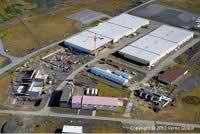
DreamHost, a full-service web hosting company operating across the globe has become an anchor tenant in RagingWire Data Centers’ new Northern Virginia campus known as “The Bolt.” The state-of-the-art facility will enhance DreamHost’s hosting and cloud services dramatically. This move will ensure the improvement of their performance for the East Coast and European clients.

DreamHost offers a wide range of advanced systems and services to the industry. Their products include hosting, virtual private servers, and dedicated servers — plus cloud storage and compute services in beta testing. All these services can be configured as per the customer’s requirement and also are recognized for their proactive customer communications.

“DreamHost is expanding rapidly worldwide with our unique mix of smart and creative software development, flexible infrastructure, and passionate support for open source platforms and applications including Linux, OpenStack, WordPress and Ceph,” said Simon Anderson, DreamHost’s CEO. “We chose RagingWire for our Virginia data center partner because they have cleverly innovated their power, cooling and physical infrastructure to deliver ultimate reliability for our web and cloud hosting network and servers. And the people at RagingWire are pretty cool as well!”

RagingWire is known in the market for designing and operating data centers. Its solutions are unique operated by in-house data center experts and operators. They also offer excellent service with 100% availability and zero downtime even during maintenance.

“DreamHost offers exceptional hosting products and superior customer service for the individual blogger and web designer all the way up to enterprise applications,” said George Macricostas, RagingWire’s chairman, CEO, president, and co-founder. “We share their commitment to enterprise-level reliability and are proud to have been selected as their data center platform in Ashburn, Virginia.”

Data Center Talk updates its resources everyday. Visit us to know of the latest technology and standards from the data center world.

Please leave your views and comments on DCT Forum.

Share on TwitterSubmit to StumbleUpon

Telect’s New C degree Flow Manages Data Center Rack Temperature Effectively

The industry is raving about an efficient energy management tool aptly called the Telect’s new C degree Flow. This tool is an innovative capital saving solution for managing data center rack temperatures, thereby increasing efficiency.

“The C degree Flow™ strip is a simple solution to the complex problem of data center cooling,” says Paul Knight, Vice President of Product Development. ”We invented the plastic with data center best practices in mind. Not only can inlet temperatures of racks be seen, but temperatures across a rack can be increased by knowing where the cold air is going. Ultimately, increasing hot aisle temperatures results in increased cooling efficiencies and greater equipment capacities.”

This tool enables the technical personnel to easily evaluate the data center temperatures and quickly provide solution in case of inconsistencies.

Stephen Baker, Telect’s Communications and Brand Manager, adds, “The C degree Flow™ strip is indicative of Telect’s mission to simplify networks. The strip is simple to install and simple to use.”

Telect headquarters is located in Liberty Lake, Washington. It connects clients and businesses and provides them with unique copper, enclosures, fiber, power, racks, and services Telect believes in delivering focused and strategic plans to simplify networks and network components giving the clients the best service experience in the industry.

Data Center Talk updates its resources every day. Visit us to know of the latest technology and standards from the data center world.

Please leave your views and comments on DCT Forum

Share on TwitterSubmit to StumbleUpon

Extend Your Data Center’s Life Cycle

With the steep rise in energy costs, data center operators and their clients are recognizing energy efficiency as key for future growth. Managing a data center’s hardware life cycle is an ongoing process and needs to be constantly updated. Costly failure rates and downtime can be avoided by identifying and isolating hotspots and inefficient devices prior to implementation and equipment upgrades. Introducing cooling simulation early in your design process can reduce your data center cooling costs.

A typical server service life is about three to five years, but that number can now be as long as eight years. Some data centers are so impoverished that servers must run even longer than that.  Machines require increased maintenance as they wear down. But this increases data center costs. So the question is, how can data center engineers extend the life of their machines while keeping everything cost effective?

The methods to  extend the life cycle of the data center would be as follows:

  •  It is much needed to make sure we get the most from existing technology. We need to take advantage of the best practices such as proper room sealing, the hot-aisle/cold-aisle rack arrangement, and preventive maintenance to optimize the performance of the existing data center cooling system. Installation of a supplemental cooling infrastructure is the next step. This would indeed extend the facility life and delay the need to build a new data center.
  • Using the right size building blocks is essential, as the input power to the facility will ultimately determine how much equipment can be supported. As an example, by analyzing the power system reliability of a multi- module UPS configuration, it is recommended that the UPS modules be sized no less than one-third of the total facility load.
  •  Older machines require extra care because with older hardware, the little things can make all the difference. To help the system run longer, several tasks need to be completed at least once a month. For example, make sure that all operating system patches, updates, drivers and roll ups have been deployed; the antivirus system has been updated and is operational. Now with better technology and resources, this can be accomplished more easily and cost-effectively than ever.
  •  It is quite tricky to predict what technologies a data center may have to support in the next 10 years. The best approach would be to employ adaptive technologies that would give us the most flexibility to respond to change. Though availability is still the No. 1 factor in infrastructure design, flexibility is now a close second.
  •  If a server uses local storage, run the Disk Cleanup as well as Defragment tool to help the machine run longer with stable data and a cleaner running drive. Running hard drive health checks on a regular basis, regular inspection of hardware components within the machine and making sure all fans are operational and verify that all components and cable headers are in their place is very essential. There is also a need to keep an eye on dust buildup as this can quickly interrupt cooling and cause electrical glitches that can affect the server.
  •  To provide valuable intelligence and control at both the rack and room level, the monitoring systems have improved beyond simple alarming. Intelligent controls in computer room air conditioners now enable multiple units in a room to work together as a team, increasing system efficiency. Intelligent power strips provide receptacle-level visibility and control of equipment power on the rack level.
  • It is necessary to stay vigilant. The past experiences have shown that the equipment with a robust maintenance program experience reduced downtime and clearly extend the life of their data center equipment. Also, consider regular data center assessments to monitor the impact of new technology and ensure supporting technologies and best practices are current.

Optimization of the electrical and physical environment will assist any server work for a longer duration. This includes the following important factors: electricity, temperature and air quality:

  •  Electricity quality plays a key role in determining the longevity of a machine. To maintain healthy operation of the machines, managing the amount of voltage entering the server room is very critical. A sudden spike can severely damage computers. Using a good uninterruptible power supply and power regulators will help to monitor the amount of input voltage to the machine, or a rack of servers.
  •  The room temperatures for normal operation of most servers should be between 60 to 85 degrees Fahrenheit. A steady humidity level between 50 and 75 percent should be maintained. Proper management of the environment in a data center would increase performance of the machines inside and also allows them to have longer operational life.
  •  Air quality is also very important with computers as proper air circulation could prevent its overheating. It is much needed to keep good airflow around your machines. Servers need to be moved away from walls to allow vents to properly circulate hot and cold air.

 Data Center Talk updates its resources every day. Visit us to know of the latest technology and standards from the data center world.
Please leave your views and comments on DCT Forum

Share on TwitterSubmit to StumbleUpon

Switch to SaaS-Its Simply Better

Software as a service (SaaS) is commonly referred to as “on-demand software”. It is a software delivery design in which software and related data are centrally hosted on the cloud. SaaS is generally accessed by users using a client through a web browser. Software as a Service is a surfacing system of delivering software applications to customers through the Internet. SaaS or On Demand software can be executed to reduce the ongoing costs that conventional applications entail.

Why is it so important to switch to SaaS? Because of the numerous benefits which cannot be ignored. Some of them are:

Cheaper pricing entry:

Unlike conventional software which is traditionally sold as a long-lasting license with an up-front pricing and an optional ongoing support fee, SaaS suppliers normally charge applications using a subscription fee, commonly stated as a monthly or an annual fee. Accordingly, the preliminary setup cost for SaaS is normally lower than the corresponding enterprise software. SaaS merchants on average price their applications based on some usage factors, such as the number of users using the application. Nonetheless, because in a SaaS environment users data resides with the SaaS merchant, prospects to charge per transaction, incident, or other unit of value widely exists.

 Global availability:

The equipment subsists to make on-premise software accessible outside the premises as well and not just accessibility but also functionality that are obtainable from anywhere on the internet natively. It is global at the core but flexible to meet local requirements. SaaS applications are available from any computer or any device anytime, anywhere. This is because; most users know how to find what they need on the Internet. SaaS application tends to have high adoption rates, with a lower learning curvature. Improved access to data from any networked device makes it easier to manage privileges, monitor data use. It also guarantees that everyone can access the same information at the same time from anywhere.

Multi -resident competence:

SaaS equipment is a multi-tenant architecture. This means that the cost of all software, infrastructure and expertise is shared by a large number of regulars. This improves the implementation speed and cost effectiveness of the application dramatically. SaaS applications are developing at a rapid rate because developers are focused on what’s next rather than on maintaining numerous versions of old code.

Easy Upgrades: 

Since the SaaS source manages all updates and upgrades, there are zero possibilities of hitch for the customers to download or install. The SaaS provider also manages availability, so there’s no need for customers to add hardware, software, or bandwidth as the user pedestal grows.

Enlarged convenience and Productivity:

Web based applications facilitate users to save information on the Internet, hence making it easily available from anywhere. The business knowledge is made accessible to all employees thereby increasing combined productivity. Physically unconnected teams function better with better information accessibility. The other aspect is the decline in data center hassles incurred by software consumers in the conventional client/server model.  This leaves data center workforce to focus on improving the day-to-day technical operations of the firm instead of being called upon to troubleshoot mediating party.

Flawless Integration: 

SaaS merchants who have the right multitenant architectures can range indefinitely to meet client demand. Many SaaS suppliers also offer customization competence to meet explicit needs. The popularity of SaaS is steadily increasing because it simplifies deployment and reduces customer acquisition costs. With SaaS, developers can hold up many regulars with a single version of a product. This process is known as multitenancy. This enables companies to scale as fast and as much as needed without replacing the costly infrastructure or adding extra staff. Because of the way SaaS is designed, these customizations are exclusive to each company or user and are always preserved through upgrades. That means SaaS providers can get upgrades more often, with low customer threat and much lower implementation cost. Customization is simple with point-and-click simplicity; making the old fashioned update ritual of ‘waiting’ practically non-existent.

Enhanced Security:

Software as a Service providers are in the business of providing continuous reliable services. Sellers recognize that data must be backed up consistently, and information security is of extreme precedence. Competent resources, network redundancies, stand-by power, up-to-date security and intrusion detection are compulsory infrastructure required to provide an enterprise class service. This is the kind of security that the SaaS provides its users.


Data Center Talk updates its resources everyday. Visit us to know of the latest technology and standards from the data center world.

Please leave your views and comments on DCT Forum.


Share on TwitterSubmit to StumbleUpon

The Rise of Server Blades

The Server Blades is the fastest growing segment of the worldwide server market. It is expected to continue to grow at a higher rate according to Industry analysts and researchers. Project venture data centers seek out to these servers which provide benefits to companies. Benefits of the new platform include power cooling, and server consolidation that maximize the compute power per rack unit. As a result, effectively incorporating these devices into the data center system construction becomes an important element for the system administrators to consider.

The advantage of Blade servers is that it offers a consistent method of deploying multiple memory, processors, and I/O resources. Hence, it replaces those resources on plug-in boards that slip into a standard chassis. They share common resources like power, storage and I/O across multiple processors thereby reducing cost versus separate server systems. In the server market, the demand for blade servers has rapidly increased with time. IT departments have encountered their ultimate vehicles to increase server density. They are also achieving higher control over operation, deployment, provisioning and advancing large server farms. What has made Blade servers so alluring is the fact that they offer a permutation of reduced cost, competent use of costly data center space, cut down management for various servers, and greater performance over time.

Blade servers are the recipient force behind several key elements of computing technologies. All of it ranging from inflated processor densities in single-chip multi-core semiconductors, to bunch computing techniques, and 10 GB Ethernet deployments.

Data center managers are making the best use of Blade servers’ various capacities. The ability of the servers to deeply increase both the quantity and the competence of computing, memory and I/O resources is a boon to data centers. These services increase the ever demanding user productivity. It has given an augment to a new set of software tools, both in server resource management and server desktop virtualization applications. In addition to this, the rising densities of blade server-based data centers has led to the growth of a fresh set of challenges in the power and cooling of contemporary data centers. As a result, power vendors are forced to extend new technologies and solutions for power management and efficiency.

Server blades include two major technologies – integrated switches and pass-through technologies.

Integrated Switches

Blade systems permit built-in switches to manage traffic flow between the blade servers within the chassis and the remaining enterprise network. Blade systems provide a variety of switch media types that includes the following:
• In-built Ethernet switches
• Infiniband switches
• Fiber conduit switches

Integrated switches are a passage to the blade servers inside the chassis and the data center. Every blade server is connected to a backplane or a mid-plane that normally contains four committed signalling lane to redundant network devices dwelling in the chassis. This definite physical structure decreases the number of cables necessary by each server and supplies a level of resiliency, which is done through the physical redundancy of the system interface controllers (NICs) and I/O system devices.

Pass-through Technology

 It is a substitute method of network connectivity that permits individual blade servers to correspond openly with external resources. In this technology, both copper and optical pass-through modules that supply access to the blade server controllers are offered. There are two common types of pass-through I/O devices, each of which provides connectivity to the blade servers through the backplane or the mid-plane of the chassis. There is a one on one relationship amid the number of server interface amongst the numeral peripheral ports in the access deposit. These server interfaces are required to maintain the blade system.

Pass-through components are passive devices that casually expose the blade server NIC to the external network. They do not need configuration by the network administrator. Also I/O devices are not required in these configurations. It is also not extended to network Layer 2 or Layer 3 topologies. In addition to this, the blade servers may utilize any of the NIC teaming configurations sustained by their drivers. The necessity to decrease the amount of cabling in the data center is the most essential influence driving the swift implementation of blade servers.

Pass-through modules never allow the data center to take added benefit of the cable consolidation the blade platform tenders. This short of cable fall out in the rack/ row/ provision frequently hampers the employment of a pass-through foot solution in the data center.

Data Center Talk updates its resources every day. Visit us to know of the latest technology and standards from the data center world.
Please leave your views and comments on DCT Forum


Share on TwitterSubmit to StumbleUpon

CoreXchange Offers Discounts for Data Center Migrations

Order colocation solutions online https://www.corexchange.com/colocation-solutions now and the setup fee is automatically waived.  For an additional discount of 50% off first month, enter promotional code MOVE. Offer valid on all half rack (starting from $299), full rack (starting from $399) or private cage (starting from $1,859) orders placed online by May 31st.

An offer extension is available if currently under a contract.  Call or email CoreXchange Sales (877-271-7737 ext. 2 or sales@CoreXchange.com) with your colocation contract expiration date and receive 50% off first month when you are ready to move.

CoreXchange Colocation Advantages

Enterprise-level colocation is more affordable than ever before.

CoreXchange bundled solutions include:

Secure half rack, full rack or private cage space

Power, bandwidth and IP addresses

100% power and network SLA’s available

Bandwidth from 1 Mbps to 1000 Mbps (up to 10 Gig available)

Burstable of unmetered bandwidth options

Selections for redundant power drops, network handoffs and cross connects

Basic or advanced monitoring and off-site data storage options available

Scalable Data Center Space

SSAE 16 SOC-1 Type II compliant data centers

Facilities designed and managed by CoreXchange

Redundant power and HVAC cooling systems

High Performance Network

Premium bandwidth mesh of multiple, Tier-1 Internet carriers with BGP routing

Latest generation routing and switching equipment

Carrier neutral options available

Owned and managed transport to Equinix with access to all Equinix carries

Onsite Support and Secure Access

24-hour onsite NOC support

FREE remote hands and eyes including reboots

24/7/365 physical access for customers

Pre-approved access control list with ID check-ins, plus secure badge system

About CoreXchange:

CoreXchange’s comprehensive solutions include colocation, high performance network connectivity, Internet access, Dallas disaster recovery, and a business continuity center. Headquartered in the globally recognized Dallas Infomart and led by a highly experienced team of networking services technologists and executives, CoreXchange provides services at its enterprise-class data centers or customers’ remote locations, via local loop or metro Ethernet.

SUMMARY: No set up fee on all online orders; plus, 50% off 1st month colocation services with CoreXchange migration.

TAGS: performance network connectivity, Internet access, business continuity center, data center colocation, Burstable unmetered bandwidth, Tier-1 Internet carriers, Dallas Infomart

Data Center Talk updates its resources everyday. Visit us to know of the latest technology and standards from the data center world.

Please leave your views and comments on DCT Forum.

Share on TwitterSubmit to StumbleUpon

How to calculate ROI?

Most companies use Return on Investment (ROI) or its reciprocal, Payback, as a standard measure to compare one initiative to another.  Given two similar opportunities, or when deciding whether or not a project is viable, management will usually use an ROI calculation.

this tool proivde you insight to prepare ROI deck for Management presentations.

Return on Investment

Share on TwitterSubmit to StumbleUpon

Battery Room Compliance Checklist – Sponsored by EnviroGuard

Battery room is considered as heart of power backup for datacenter. Ride through of battery room decide for how long your datacenter can survive during disaster or power outage. Battery Room is housing batteries which are connected to UPS system and provide backup power as needed. As this is critical section of datacenter design hence there are many industry standards to meet design best battery room.

Compliance Requirements highlights many important and critical areas like :

  • Battery Spill Containment System
  • Neutralization and Absorption Pillows
  • Spill Clean-up Kit
  • Safety Protection Gear
  • EyeWash Station
  • Battery & Safety Signage
  • Hydrogen Gas Monitors
  • Acid Resistant Aisle Mats
  • Battery Terminal Covers
  • Battery Maintenance
  • Smoke Detectors
  • Fire Extinguishers
  • Training Program

Very good and useful checklist is Sample Flooded Battery Site Assessment Checklist

This check list is created by EnviroGuard

Also Data Center talk has nice article on Battery room

http://www.datacentertalk.com/2012/01/how-healthy-is-your-battery-room/

Share on TwitterSubmit to StumbleUpon

Tool for Migration, Move and Relocation of Data Center

Tool to plan for Migration, Move and relocation of datacenter. Most of time the magnitude of change is too big and it has to be planned in a better way. This tool helps you to plan and document for your movement.

Migrate_move_relocate_checklist

Share on TwitterSubmit to StumbleUpon